
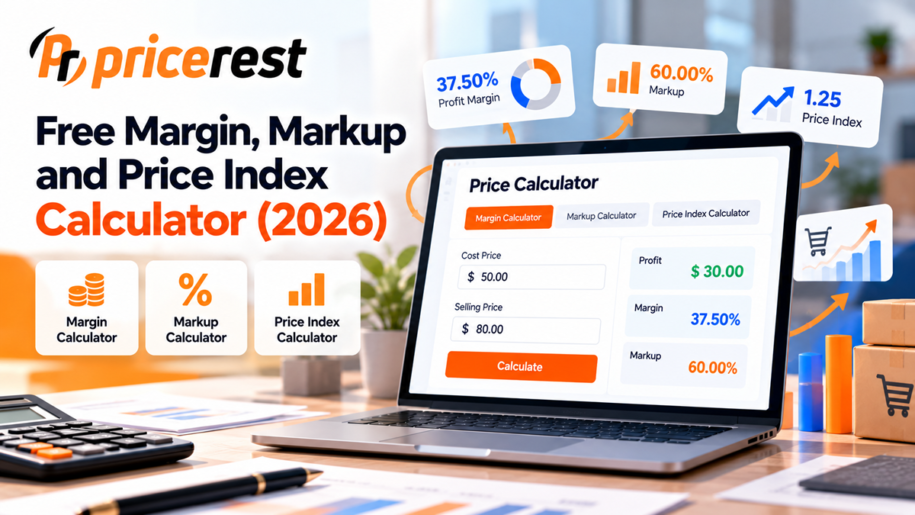
Three free pricing calculators in one place. The margin calculator turns cost and price into profit, margin and markup. The markup calculator finds the selling price from your cost and a target markup or margin. The price index calculator shows how your price compares with competitors, and lets you leave out competitors that are out of stock. Everything is calculated in your browser; nothing is stored.
Margin calculator
Enter your cost and selling price to get profit, gross margin and markup.
Markup calculator
Enter your cost and a target markup or margin to get the selling price.
Price index calculator
Enter your price and your competitors’ prices for the same product. Untick competitors that are out of stock.
You are about at market level: within 3% of the average competitor price. You are 4.2% above the cheapest competitor and rank 3 of 4 by price.
The calculators work with any currency; use the same currency and the same VAT treatment for every price. Results are rounded for display.
Formulas
Margin vs markup: what is the difference?
Margin and markup both describe profit, but against a different base. Margin is profit as a percentage of the selling price, while markup is profit as a percentage of the cost. For the same product, markup is always higher than margin: a product that costs 60 and sells for 100 has a 40% margin and a 66.7% markup.
| Markup | Equals margin | Price for a cost of 100 |
|---|---|---|
| 10% | 9.1% | 110 |
| 20% | 16.7% | 120 |
| 25% | 20.0% | 125 |
| 33.3% | 25.0% | 133.33 |
| 50% | 33.3% | 150 |
| 66.7% | 40.0% | 166.67 |
| 100% | 50.0% | 200 |
| 150% | 60.0% | 250 |
| 200% | 66.7% | 300 |
| 300% | 75.0% | 400 |
How to calculate profit margin
Margin % = (Price minus Cost) divided by Price, multiplied by 100
Example: a product costs 60 and sells for 100. Profit is 40, and 40 divided by 100 is 0.40, so the gross margin is 40%. This is gross margin per unit; it does not include shipping, payment fees, marketing or overheads, which you should add to cost if you want a net figure.
How to calculate markup and selling price
Markup % = (Price minus Cost) divided by Cost, multiplied by 100
Price from markup = Cost multiplied by (1 plus Markup)
Price from margin = Cost divided by (1 minus Margin)
Example: with a cost of 60 and a target markup of 50%, the price is 60 multiplied by 1.5, which is 90. With the same cost and a target margin of 50%, the price is 60 divided by 0.5, which is 120. Confusing the two is one of the most common pricing mistakes: a 50% markup gives only a 33.3% margin.
Converting between markup and margin
Margin = Markup divided by (1 plus Markup)
Markup = Margin divided by (1 minus Margin)
How to calculate a price index
Price index = Your price divided by the average competitor price, multiplied by 100
A price index of 100 means your price equals the market average, above 100 means you are more expensive and below 100 means you are cheaper. Two details make the index far more useful:
- Leave out out-of-stock competitors. A competitor that cannot sell today does not set the market price. In the default example above, including the out-of-stock seller would move the index from 100.7 to 102.6 and could lead to an unnecessary price cut.
- Compare the same product. A different size, bundle or variant gives a misleading index, which is why price monitoring tools put so much effort into product matching.
Read the full guide on how to calculate a competitor price index, including weighted indexes across many products.
Next step
From one calculation to every product, every day
A calculator answers the question for one product today. Competitor prices keep moving: in a 2026 PriceRest study of 261 online stores in 24 countries, 46% of products changed price within 30 days, typically every 6 days. Price monitoring software keeps your price index, margins and competitor prices up to date automatically for your whole catalog. See what price monitoring is or the price monitoring glossary.
FAQ
Frequently asked questions
What is the difference between margin and markup?
Margin is profit as a percentage of the selling price, and markup is profit as a percentage of the cost. A product that costs 60 and sells for 100 has a profit of 40, a margin of 40% and a markup of 66.7%. Markup is always higher than margin for the same product.
How do you calculate profit margin?
Subtract the cost from the selling price, divide the result by the selling price and multiply by 100. For example, a price of 100 and a cost of 60 give a profit of 40 and a gross margin of 40%.
How do you calculate a selling price from markup?
Multiply the cost by one plus the markup percentage. For example, a cost of 60 with a 50% markup gives a selling price of 90. To reach a target margin instead, divide the cost by one minus the margin, so a 50% margin on a cost of 60 gives a price of 120.
How do I convert markup to margin?
Divide the markup by one plus the markup. A 50% markup equals a margin of 0.5 divided by 1.5, which is 33.3%. To convert margin to markup, divide the margin by one minus the margin, so a 40% margin equals a 66.7% markup.
How do you calculate a price index?
Divide your price by the average price of your competitors for the same product and multiply by 100. A result of 100 means you are at market level, above 100 more expensive and below 100 cheaper. Leave out competitors that are out of stock, because they do not set the price customers can actually pay today.
Can I use these calculators with any currency?
Yes. The calculators work with any currency as long as all prices use the same currency and the same tax treatment, either all including VAT or all excluding it. Everything is calculated in your browser and nothing is stored.
Keep your price index up to date automatically
PriceRest tracks competitor prices, stock and your price position every day. 14-day free trial, no credit card required.
Start Free TrialRequest a personalized demo of PriceRest
We look forward to showing you how our platform allows you to optimize the pricing, execution, and measurement initiatives that matter most to your brand and products.
It is Free!
What can I expect?
- A brief conversation to assess what PriceRest can do to help your pricing strategy
- Live product demo with insight into how to get the most benefit from PriceRest
- Discuss your prices KPIs to determine the best path forward for your business
- No commitment required