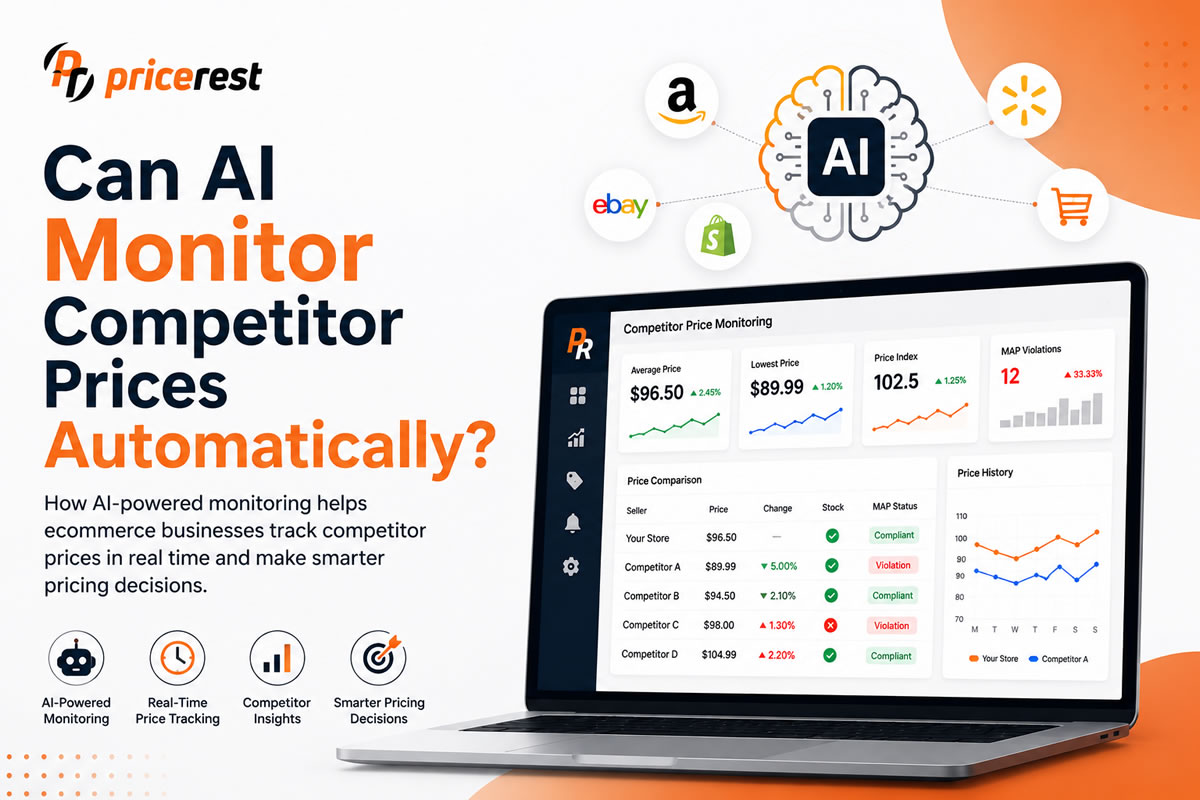
To monitor B2B and dealer prices behind a login, you need a monitoring tool that can sign in with an account you are allowed to use, read the prices that account sees, match those products to your own and record every change over time. Most price monitoring tools only read public prices, so trade, wholesale, dealer and member prices stay invisible to them. PriceRest can log in to login-protected sites and collect these prices together with public competitor prices, stock and seller data. Before you start, check each site’s terms, use only accounts you are entitled to and never create fake identities.
Source: Forrester US B2B e-commerce forecast, published June 2022. A growing share of these sales happens in portals and webshops where prices are shown only after login.
The basics
What are login-protected prices?
Login-protected prices are prices that a website shows only to signed-in customers, such as dealer, trade, wholesale, business and member prices. Visitors who are not logged in see no price, a list price or a message such as “log in to see prices”.
They are common wherever the seller wants to give some customers better terms than others:
| Type | Where you find it | What the logged-in buyer sees |
|---|---|---|
| Dealer and reseller portals | Manufacturers and importers selling to their dealer network | Dealer price, recommended retail price, stock and lead time |
| Wholesale and trade webshops | Distributors and wholesalers selling to businesses | Trade price, often with tiers by quantity |
| Business marketplace prices | Marketplaces with business accounts, such as Amazon Business | Business-only prices and quantity discounts |
| Member prices | Warehouse clubs, loyalty programs and membership shops | Member-only prices and offers |
| Customer-specific prices | B2B platforms that assign price lists or catalogs to individual companies | Contract prices agreed for that customer |
For a manufacturer, distributor or wholesaler, these prices are often the real market. The public price is only half of the picture.
Why B2B prices are harder to monitor than retail prices
B2B prices depend on who is buying and how much. One product can have several prices at the same time, they are usually shown without VAT and in pack units, and they often sit behind a login.
- Quantity tiers. The price per unit falls as the order quantity rises, so you have to compare the same tier, not just the first price on the page.
- Customer-specific prices. Two logged-in buyers can see different prices for the same product. Your monitoring only shows what your account sees.
- Pack sizes and units. A carton of 12, a pallet and a single unit must be converted to a unit price before comparing.
- Net prices. B2B prices are often shown without VAT, while retail prices include it.
- Minimum order quantities. A low price with a high minimum order is a different offer from a slightly higher price per unit.
- Stock and lead time. For buyers, a price with stock today and a price with a six-week lead time are not the same.
Public vs login-protected price monitoring
| Public price monitoring | Login-protected price monitoring | |
|---|---|---|
| Who sees the price | Anyone | Signed-in customers only |
| Typical sources | Online stores, Google Shopping, marketplaces | Dealer portals, trade webshops, business and member accounts |
| Price format | One retail price, usually with VAT | Net prices, tiers, pack units, contract prices |
| Access needed | None | An account you are entitled to use |
| Tool support | Most price monitoring tools | Few tools; PriceRest supports it |
| Main users | Retailers and marketplace sellers | Distributors, wholesalers, manufacturers, procurement teams |
Most businesses need both: public prices show what end customers pay, and login-protected prices show what the trade pays. Read more about public monitoring in competitor price tracking.
Use cases
Who needs login-protected price monitoring: 5 use cases
1. Distributors and wholesalers watching competitor trade prices
If you hold a trade account with competing distributors, monitoring their trade prices shows where you are more expensive for the same product and tier, and when a competitor changes its price list.
2. Retailers tracking supplier cost prices
Many retailers buy the same products from several suppliers, each with its own portal. Monitoring those portals shows cost increases the day they appear, so you can update your selling prices before your margin shrinks, and choose the cheapest supplier with stock. Combined with product cost monitoring, this protects your margin automatically.
3. Manufacturers checking their channel
A manufacturer can compare the dealer prices and recommended retail prices shown in distributor portals with the public prices on online stores, to see whether B2B and B2C prices tell a consistent story. Public reseller prices can also be checked for MAP compliance.
4. Sellers on business marketplaces
On marketplaces with business accounts, the business price and quantity discounts can differ from the consumer price. Sellers who compete for business buyers need to see those prices, not only the consumer offer.
5. Procurement teams comparing offers
Buyers who source the same items from several B2B webshops can monitor their own account prices across suppliers and spot price increases, cheaper alternatives and stock problems without logging in to each portal by hand.
How to do it
How to monitor B2B and dealer prices behind a login in 6 steps
List the portals, confirm you have legitimate access, decide what to capture, match the products, set a monitoring schedule and turn the changes into alerts and reports.
- List the sites. Write down every portal and webshop that matters: competitor trade shops, supplier portals, business marketplaces and member shops.
- Confirm access and terms. Use only accounts your business is entitled to use, such as your own trade or dealer account, and read each site’s terms of use before automating anything.
- Decide what to capture. Unit price, quantity tiers, pack size, VAT basis, currency, stock and lead time. See the checklist below.
- Match the products. Supplier and dealer sites use their own article numbers, so match them to your products with barcodes, manufacturer part numbers and titles. Our product matching engine explains how this works.
- Set the schedule. Many B2B price lists change less often than retail prices but in bigger steps, so daily checks are usually enough. Keep the collection gentle so the portal is not overloaded.
- Alert and report. Send alerts for cost increases, competitor price list changes and stock problems, and keep the full history for negotiations with suppliers.
What to capture from a B2B price page
| Field | Why it matters |
|---|---|
| Net unit price | The base for every comparison |
| Quantity tiers | Compare like with like: 10 units against 10 units |
| Pack size and unit | Converts cartons and pallets to a unit price |
| VAT basis and currency | Prevents comparing net with gross or euros with dollars |
| Minimum order quantity | Shows whether the price is realistic for your order size |
| Stock and lead time | A price without stock cannot win the order |
| Recommended retail price | Shows the margin the channel is expected to make |
| Date and account | Customer-specific prices only make sense with the account that saw them |
Methods compared
| Method | Good for | Main limit |
|---|---|---|
| Manual login and spreadsheets | A few portals and a short product list | Slow, no history, changes between checks are missed |
| Supplier price list files | Suppliers that send regular price lists | Only suppliers that share files, and only when they send them |
| In-house scraper | Teams with developers | Logins, sessions and site changes need constant maintenance |
| Price monitoring tool without login support | Public retail prices | Cannot see dealer, trade or member prices |
| PriceRest | Public and login-protected prices in one place | Needs a valid account for each login-protected site |
Rules
Legal and ethical rules for monitoring prices behind a login
When you log in, you are a user of the site, so its terms of use apply to you. Monitoring is safest when you use a genuine account you are entitled to, respect the terms, never use fake identities and collect only product and price data.
Two US cases show why the login matters. In hiQ Labs v. LinkedIn, the court ruled in November 2022 that LinkedIn’s user agreement banning scraping and fake profiles was enforceable, and hiQ agreed to a permanent injunction. In Meta v. Bright Data (January 2024), the court found that Meta’s terms did not cover scraping public data while logged out, and it expressly did not decide what applies behind a login. Together they draw a clear line: behind a login, the terms you accepted are what count.
- Use real accounts that belong to your business and that you are entitled to use. Never create fake accounts or pretend to be someone else.
- Read the terms of each site. If they forbid automated access, ask the site owner or use another source.
- Do not share credentials in a way the terms or your contract forbid.
- Collect only what you need: product, price, stock and lead time. Do not collect personal data.
- Keep the load low with reasonable frequency, so the portal works normally for everyone.
- Keep the data inside your business. Sharing competitors’ prices with other competitors or using them to align prices raises competition law issues; see is it legal to use AI for competitor pricing.
General information, not legal advice. Laws and site terms differ by country and by site.
Common mistakes
- Comparing different tiers, such as a competitor’s 100-unit price with your single-unit price.
- Mixing net and gross prices from B2B and retail sites in one report.
- Ignoring pack sizes, so a carton price looks like a huge price increase.
- Forgetting that prices are account-specific, and treating your own contract price as the market price.
- Losing access silently when a password changes or an account expires, and not noticing the data stopped.
- Watching only one side, trade prices without public retail prices, or the other way round.
PriceRest
How PriceRest monitors prices behind a login
PriceRest can log in to login-protected websites with an account you are allowed to use, read the prices that account sees and monitor them together with public prices from more than 2,500 online stores in 64 countries, 20 Amazon marketplaces and Google Shopping.
- Login-protected sites. Dealer portals, trade and wholesale webshops, supplier portals, business accounts and member shops.
- Matching. Supplier and dealer article numbers are matched to your products with barcodes, MPN, product codes, titles and AI image recognition.
- Cost and margin. Product cost monitoring shows how supplier price changes affect your margin.
- History and alerts. Every price and stock reading is stored, with daily and instant notifications and Excel exports.
- Action. Use the data in dynamic pricing rules with minimum and maximum prices.
- Brand protection. MAP monitoring and unauthorized seller detection on public channels.
Login-protected sites are added like any other competitor site. See pricing for plans and site allowances, or the PriceRest overview for all capabilities.
FAQ
Frequently asked questions
What is B2B price monitoring?
B2B price monitoring is tracking the prices that businesses pay each other, such as trade, wholesale, dealer and contract prices. Unlike retail prices, these are often net of VAT, tiered by quantity and shown only after a customer logs in.
Can price monitoring software see prices behind a login?
Most price monitoring tools only read public prices. Tools with login support, such as PriceRest, can sign in with an account you are allowed to use and collect the prices that account sees, together with stock and other product data.
How do I monitor dealer prices?
List the dealer portals that matter, use accounts your business is entitled to, decide which fields to capture, match the dealer article numbers to your products and let a monitoring tool check the prices daily and alert you to changes.
Is it legal to scrape prices behind a login?
It depends on the site’s terms and local law. When you log in you accept the site’s terms, and US courts have enforced terms that ban scraping and fake accounts. Use genuine accounts you are entitled to, follow the terms and collect only product and price data.
Can I monitor Amazon Business prices?
Amazon Business offers business-only prices and quantity discounts to business buyers who sign in. A monitoring tool that supports login can track the business prices your account sees, alongside the regular consumer prices.
How do I compare tiered B2B prices?
Compare the same quantity tier on both sides, convert pack sizes to a unit price and make sure both prices use the same VAT basis and currency. Otherwise the comparison shows differences that do not exist.
Can I track my suppliers’ price changes automatically?
Yes. If your suppliers show prices in a portal or webshop after login, a monitoring tool with login support can check those prices daily, alert you to cost increases and show how they affect your margin.
How often should B2B prices be checked?
Daily checks are enough for most B2B price lists, because they usually change less often than retail prices. Fast-moving categories or volatile raw material prices may need more frequent checks.
Can PriceRest monitor member prices?
Yes. PriceRest can log in to member shops and loyalty accounts that your business is allowed to use and collect the member prices shown there, together with public prices from other stores.
How do I start monitoring prices behind a login with PriceRest?
Start a 14-day free trial, add your products and tell the PriceRest team which login-protected sites you want to monitor. The sites are set up like other competitor sites and then checked automatically with alerts and reports.
See the prices your competitors hide behind a login
Dealer, trade, business and member prices together with public prices from 2,500+ online stores, Google Shopping and 20 Amazon marketplaces. 14-day free trial, no credit card required.
Start Free Trial