
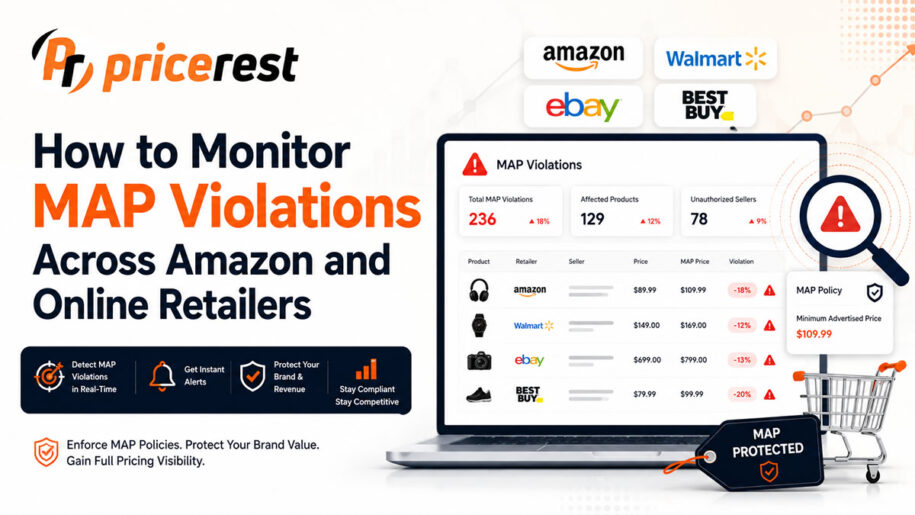
To monitor MAP violations, list the MAP for every product, identify your authorized sellers, discover every page where your products are advertised on Amazon, Google Shopping, marketplaces and retailer websites, match each listing to the right product, collect advertised prices on a fixed schedule and get an alert whenever a price falls below MAP. Keep the history of every violation so you can separate one-off mistakes from repeat violators, and check the competition law of each market before you act on what you find.
Source: PriceRest 2026 study of online price changes; the third figure is an illustrative calculation.
Legal note: Monitoring advertised prices is legal, but what you may do about a violation depends on the market. Unilateral MAP policies are generally allowed in the US, while the EU and UK treat MAP as resale price maintenance. Read our guide: Is MAP pricing legal?
Basics
What is a MAP violation?
A MAP violation occurs when a retailer or marketplace seller publicly advertises a product below the minimum advertised price set in a brand’s MAP policy. For example, if the MAP of a product is $199 and an online store advertises it at $179, that listing is a potential MAP violation, depending on the brand’s policy and the law of the market.
Brands use MAP policies to keep advertised prices consistent across their reseller network, protect brand positioning, support authorized retailers that invest in service and avoid destructive price wars. A MAP policy only works if the brand can see where and how its products are advertised. That is the job of MAP monitoring. Definitions of MAP violation and minimum advertised price are in our glossary.
What is MAP monitoring?
MAP monitoring is the process of tracking the advertised prices of your products across marketplaces and online retailers and comparing them against your minimum advertised price. MAP monitoring software collects prices automatically, flags listings below MAP, sends alerts and keeps a history of every violation by product and seller.
A MAP monitoring system typically records the product, the seller or retailer, the advertised price, the MAP threshold, the time a violation started and ended, stock availability and the full price history. With that data a brand can see not only who is below MAP today, but who does it repeatedly.
Why manual MAP monitoring fails
Checking prices by hand works for five retailers and ten products. It breaks down when a catalog grows. A brand with 1,000 products sold by 30 sellers has 30,000 potential listings to check, across Amazon, Walmart, eBay, Google Shopping, regional marketplaces, distributor websites and independent stores.
Timing is the second problem. In our 2026 study, 46% of online products changed price at least once within 30 days and 56% of price cuts were reversed within 14 days. A seller can advertise below MAP for a few hours or days and return to the correct price before anyone checks the page. Only automated, scheduled monitoring catches those temporary violations.
Process
How to monitor MAP violations in 7 steps
To monitor MAP violations, define the MAP and identifiers of every product, list your authorized sellers, discover all listings of your products, match each listing to the right product, collect advertised prices on a fixed schedule, compare them against MAP with automatic alerts and analyze the violation history to find repeat violators.
- Define your MAP data. For every product, record the product name, SKU, UPC, EAN or GTIN, manufacturer part number, MAP and MSRP. Accurate identifiers are what let a system find the same product on different sites.
- List your authorized sellers. Keep a list of direct retail partners, distributors, marketplace sellers and regional retailers allowed to sell your products. Anyone outside that list is a potential unauthorized seller.
- Discover every listing. Search for your products on Google, Google Shopping, Amazon and other marketplaces, and inside retailer websites. New sellers appear constantly, so discovery has to be continuous, not a one-time list.
- Match listings to products. Confirm that each listing is the same product, not a bundle, a different size or an older model, using product codes, titles, attributes and images.
- Collect prices on a schedule. Collect the advertised price, seller and stock status of every listing at a fixed frequency, at least daily for active channels.
- Compare against MAP and alert. Flag every listing where the advertised price is below MAP and send an alert to the right person.
- Analyze the history. Track when each violation started and ended, how deep it was and how often each seller repeats it, so you focus on the cases that matter.
The discovery and matching steps are where most manual programs fail. See how automatic product searching and matching works and why product matching accuracy matters.
Channels
How to monitor MAP violations on Amazon
On Amazon, several sellers can offer the same product on one listing, so monitoring the visible price is not enough. Track every seller on the listing, the Buy Box seller and Buy Box price, shipping costs, stock and price history, and compare each seller’s offer against your MAP.
Consider a product with a MAP of $100 and four sellers on the same Amazon listing:
| Seller | Advertised price | Status |
|---|---|---|
| Seller A | $100 | At MAP |
| Seller B | $98 | Below MAP |
| Seller C | $89 | Below MAP |
| Seller D | $105 | Above MAP |
Sellers B and C need review. If Seller C also holds the Buy Box, most shoppers see the $89 price first. For Amazon-specific workflows, see Amazon MAP violation software and how to enforce MAP pricing on Amazon.
Retailer websites and Google Shopping
MAP violations do not only happen on marketplaces. Large e-commerce retailers, specialty stores, dealer and distributor websites and small niche shops can all advertise below MAP. Website-level monitoring visits each relevant product page, collects the advertised price and flags it when the advertised price is lower than the MAP price.
Google Shopping adds a discovery layer. Because it aggregates offers from many merchants, one search for your product can reveal stores you did not know were selling it, unexpected discounts and new listings. Combining Google Shopping monitoring with direct website monitoring gives the widest coverage. For brands that sell internationally, our global price monitoring coverage includes more than 2,500 online stores in 64 countries.
Unauthorized sellers and MAP violations
MAP violations and unauthorized sellers are often the same problem seen from two sides. When a seller advertises below MAP, the first question is whether it is one of your authorized resellers at all. Combining MAP monitoring with unauthorized seller detection tells you not only which prices are low, but who is behind them and whether they belong to your distribution network.
Analysis
How to prioritize violations
Not every violation matters equally. A retailer that runs an incorrect promotion for one afternoon is different from a seller that keeps dozens of products below MAP for weeks. Score violations on four dimensions:
| Dimension | Question it answers |
|---|---|
| Frequency | How many times has this seller been below MAP? |
| Duration | How long did each violation last? |
| Depth | How far below MAP was the advertised price? |
| Breadth | How many of your products were affected? |
Stock adds context. If your MAP is $100, a retailer at $99 with stock is a live violation, while a retailer showing $85 but out of stock cannot actually sell at that price. Tracking price history and stock together lets your team focus on the cases with real market impact.
How often to monitor MAP prices
The right frequency depends on your number of products and sellers, how active your marketplaces are and how volatile prices are in your category. Daily monitoring is the minimum for most brands; marketplaces with many sellers and categories with frequent promotions need several checks a day. Consistency matters more than any single number: a fixed schedule catches temporary violations that occasional manual checks miss.
MAP monitoring vs price monitoring
| MAP monitoring | Competitor price monitoring | |
|---|---|---|
| Main user | Brands and manufacturers | Retailers and marketplace sellers |
| Goal | Advertised-price compliance and brand protection | Competitive pricing decisions |
| Compares prices against | Your MAP | Competitor prices |
| Seller tracking | Essential | Optional |
| Typical action | Review violations, act under your policy | Reprice your own products |
MAP is also often confused with MSRP. MSRP is the manufacturer’s suggested retail price, a non-binding recommendation, while MAP is the minimum advertised price set in a brand’s policy. Many brands track both; see MSRP monitoring. Retailers who want to react to competitors instead should read about competitor price tracking.
What MAP monitoring software should have
| Feature | Why it matters |
|---|---|
| Automated price collection | Removes manual checks and catches temporary violations |
| Amazon and marketplace monitoring | Tracks every seller on shared listings, including the Buy Box |
| Retailer website monitoring | Covers independent stores and dealer sites, not just marketplaces |
| Product discovery | Finds listings through Google Search, Google Shopping and site search |
| Product matching | Prevents false violations caused by wrong matches |
| Unauthorized seller detection | Shows who is selling outside your authorized network |
| MAP violation alerts | Notifies the right team as soon as a price drops below MAP |
| History and stock | Separates repeat violators from one-off mistakes |
| Reports and API | Lets you analyze by product, seller and date, and feed internal systems |
For a side-by-side view of tools, see our list of the best MAP monitoring software.
Common MAP monitoring mistakes
- Monitoring only Amazon. Violations also happen on independent retailers and other marketplaces.
- Monitoring only known sellers. New and unauthorized sellers appear all the time; discovery must be continuous.
- Checking too rarely. Temporary violations disappear before the next manual check.
- Ignoring history. A single violation says little; patterns over time show who the real problem is.
- Trusting bad matches. A bundle or a different size matched to your product creates false violations.
- Treating every violation the same. A $1 gap for an hour and a 30% cut for a month need different responses.
Action
What to do after you find a violation
Monitoring tells you what is happening; your response must follow your own policy and the law of each market. In practice, verify the listing and the product match first, check whether the seller is authorized, document the violation with its date, price and screenshot, and then apply your policy consistently.
The legal framework differs by market. In the US, a unilateral MAP policy that the brand enforces on its own is generally allowed. In the EU and the UK, using monitoring data to pressure resellers back to a minimum price is resale price maintenance, so brands there typically use price data for recommended and maximum prices, channel strategy and unauthorized seller detection instead. Read the details in Is MAP pricing legal? MAP policy rules in the US, EU and UK, and have your process reviewed by competition counsel.
PriceRest
How PriceRest helps
PriceRest automates MAP monitoring for brands, manufacturers and distributors. It discovers where your products are advertised, matches listings with product codes, titles and AI image recognition, collects advertised prices and stock on a schedule, flags prices below your MAP, alerts your team and keeps the full history of every violation by product and seller.
- Coverage. Amazon on 20 marketplaces, Google Shopping, other marketplaces and more than 2,500 online stores in 64 countries.
- Discovery and matching. Google Search, Google Shopping and site search discovery, with product-code and AI image matching.
- Brand protection. MAP violation alerts, unauthorized seller detection, seller history and stock monitoring.
- Reporting. Violation reports by product, seller and date, Excel export and API integrations.
Learn more about our MAP monitoring software and Amazon price tracker, or compare plans on our pricing page.
FAQ
Frequently asked questions
What is MAP monitoring?
MAP monitoring is the process of tracking the advertised prices of your products across retailers and marketplaces and comparing them against your minimum advertised price. MAP monitoring software collects prices automatically, flags listings below MAP and keeps a history of violations by product and seller.
How do you monitor MAP violations?
Define the MAP and identifiers of every product, list your authorized sellers, discover all listings of your products, match each listing to the right product, collect advertised prices on a fixed schedule, compare them against MAP with automatic alerts and analyze the history to find repeat violators.
Can you monitor MAP violations on Amazon?
Yes. Amazon MAP monitoring tracks every seller on a listing, the Buy Box seller and Buy Box price, shipping costs, stock and price history, and compares each offer against your MAP. Because several sellers can share one Amazon listing, monitoring only the visible price is not enough.
Can MAP monitoring software find unauthorized sellers?
Yes. MAP monitoring software that lists every seller of your products can compare them with your authorized seller list and flag sellers outside your distribution network. This shows both which prices are below MAP and who is advertising them.
Can Google Shopping be used for MAP monitoring?
Yes. Google Shopping aggregates offers from many merchants, so it helps brands discover stores advertising their products and spot prices below MAP. It works best combined with direct monitoring of retailer websites and marketplaces.
How often should MAP prices be monitored?
Daily monitoring is the minimum for most brands, and marketplaces with many sellers or categories with frequent promotions need several checks a day. In a 2026 PriceRest study, 56% of price cuts were reversed within 14 days, so infrequent checks miss many temporary violations.
What is the difference between MAP monitoring and price monitoring?
MAP monitoring compares advertised prices against your minimum advertised price to find violations and protect your brand. Competitor price monitoring tracks market prices so a retailer can make competitive pricing decisions. Both use similar data but serve different goals and users.
Why is historical MAP monitoring important?
History shows when each violation started, how long it lasted, how deep it was and how often each seller repeats it. That lets brands separate one-off mistakes from repeat violators and focus their response on the cases with the biggest market impact.
Can MAP monitoring work across multiple countries?
Yes. PriceRest monitors more than 2,500 online stores in 64 countries and 20 Amazon marketplaces, converting prices between currencies. Note that MAP rules differ by country: unilateral MAP policies are generally allowed in the US, while the EU and UK treat MAP as resale price maintenance.
What should I look for in MAP monitoring software?
Look for automated price collection, Amazon and marketplace coverage, retailer website monitoring, product discovery through Google Search and Google Shopping, accurate product matching, unauthorized seller detection, MAP violation alerts, price and stock history, reporting and API access.
Find every MAP violation automatically
MAP violation alerts, seller discovery, unauthorized seller detection and violation history across Amazon, Google Shopping and 2,500+ online stores. 14-day free trial, no credit card required.
Start Free TrialRequest a personalized demo of PriceRest
We look forward to showing you how our platform allows you to optimize the pricing, execution, and measurement initiatives that matter most to your brand and products.
It is Free!
What can I expect?
- A brief conversation to assess what PriceRest can do to help your pricing strategy
- Live product demo with insight into how to get the most benefit from PriceRest
- Discuss your prices KPIs to determine the best path forward for your business
- No commitment required