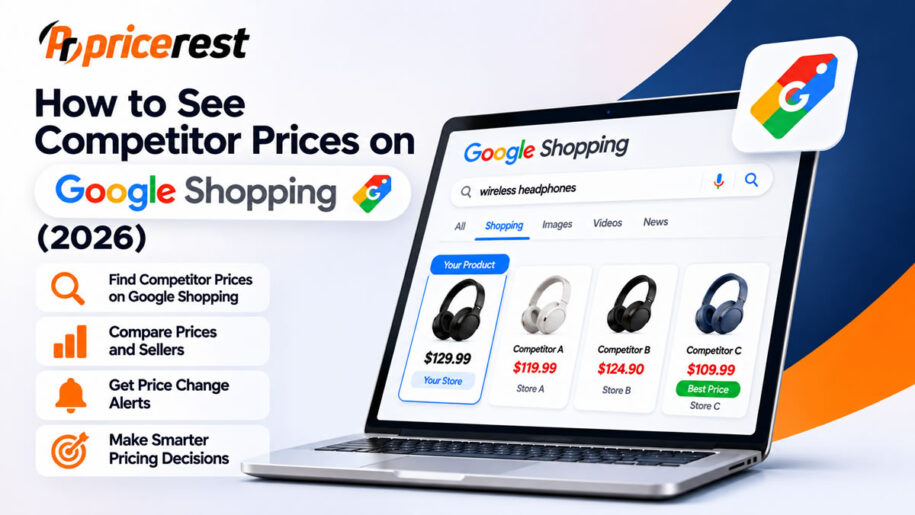
There are three ways to see competitor prices on Google Shopping. First, search for the product on Google, open it and compare the prices that different stores show for it. Second, if you sell on Google, open Merchant Center, go to Analytics, then Pricing, and check the benchmark price and your price gap for each product. Third, use a price monitoring tool that collects every seller’s price, shipping and stock automatically and keeps the history. Manual checks are free but slow. Merchant Center shows an average benchmark, not your competitors’ names. A tool shows who charges what, across Google Shopping and the stores that are not listed there.
Sources: Google, April 2020; Google Merchant Center Help; PriceRest 2026 study. Google features and screen names change over time and can differ by country.
The basics
Why Google Shopping is the best place to check competitor prices
Google Shopping gathers offers for the same product from many stores on one page. One search shows which retailers sell a product, what they charge and often what they charge for shipping, which is exactly what your customers see before they click.
Since April 2020, listings on the Shopping tab have mostly been free, so retailers appear there whether or not they run ads. That makes Google Shopping useful for three jobs:
- Price checks. See your price position against every store listing the same product.
- Discovery. Find stores and sellers you did not know were selling your products, which matters for MAP monitoring and unauthorized seller detection.
- Promotion tracking. Spot sale prices and discounts as soon as stores update their product data.
Google Shopping does not show every store. Retailers that do not send product data to Google are missing, and what you see can depend on your location and the time of the search. For a complete view, combine it with direct checks of the stores that matter to you.
Three methods
Method 1: Check competitor prices manually
This is free and needs no setup, so it is the right place to start with a few products.
- Search for the exact product. Use the brand and model number, or the barcode, rather than a general description. This avoids mixing in similar but different products.
- Open the product and compare stores. Google explains that you can tap a product’s image to compare prices from different retailers.
- Check the total price. Note the item price, shipping and any discount shown. Shoppers compare the total, not only the item price.
- Read the price insights. For many products, Google labels the price as low, typical or high based on how stores priced it over the past three months, and can show price history for individual retailers.
- Set a price alert. Use the track price option next to a product to get an email when its price drops at any store.
- Write it down with the date. A price without a date and a seller name is hard to use later.
Tip: results can change with your location, so check from the country and city you sell to. For international markets, see why location matters for price collection.
Limits: checking 20 products across 10 stores already means 200 prices, and they change often. Manual checks show a moment, not a trend, and they are easy to get wrong when products have variants.
Method 2: Use Merchant Center price benchmarks
If your products are listed on Google, Merchant Center tells you how your prices compare with other retailers selling the same items. According to Google’s help page, you find it in Merchant Center under Analytics, on the Pricing tab.
| Metric | What Google says it means | Requirement |
|---|---|---|
| Benchmark price | The average price that typically leads to more successful ad auctions, impressions, clicks or conversions, based on prices from all retailers selling the same GTIN in Shopping ads and free listings | A valid GTIN for the product |
| Price gap | The percentage difference between your price and the benchmark price | A valid GTIN for the product |
| Sale price suggestions | The sale price that Google’s AI predicts will work best, with predicted uplift in clicks and conversions, based on the past 7 days | Purchase conversions reported to Google |
Developers can get the same data through the Merchant API, which offers a price competitiveness view with your price and the benchmark for each product, and a best sellers view that ranks popular products and brands by relative demand.
What Merchant Center does not tell you:
- Who your competitors are. The benchmark is an average; the documented fields include no seller names.
- History. Google says only the latest prices are available at a given time, so you have to build history yourself through the API or BigQuery.
- Products without a GTIN. Without a valid GTIN there is no benchmark.
- Products you do not sell. The report covers your own catalog.
- Stock. The report covers prices, not whether competitors have the product in stock.
Google also states that this pricing data is for internal use and cannot be resold, publicly displayed or aggregated across businesses.
Method 3: Use a price monitoring tool
A price monitoring tool collects competitor prices automatically on a schedule. For Google Shopping, it finds the stores listing your products, matches each listing to your product and records each seller’s price, shipping and stock over time.
Compared with the first two methods, a tool adds:
- Named sellers. You see which store charges which price, not only an average.
- Stores outside Google Shopping. Good tools also check retailer websites and marketplaces directly.
- History and alerts. Every price is stored with a date, and you get alerts when a competitor changes price or runs out of stock.
- Scale. Thousands of products checked daily instead of a handful by hand.
- Action. The data can feed dynamic pricing rules with floors and ceilings.
Accurate product matching is what separates useful tools from noisy ones. Matching by GTIN, MPN, title and image prevents comparing your product with a similar but different one.
The three methods compared
| Manual checks | Merchant Center | Price monitoring tool | |
|---|---|---|---|
| Cost | Free | Free for Merchant Center users | Paid, usually with a free trial |
| Competitor names | Yes | No | Yes |
| Price history | Only what you record | Latest price only, unless you export it | Yes |
| Stock status | Sometimes | No | Yes |
| Products without GTIN | Yes | No benchmark | Yes, by title and image matching |
| Stores outside Google Shopping | Separate checks | No | Yes, in most tools |
| Scale | A few products | Your whole Google catalog | Thousands of products |
| Alerts | Google price alerts as a shopper | No | Yes |
Building your own scraper is a fourth option, but it is fragile and needs constant maintenance. Google’s Terms of Service also prohibit automated access that violates the machine-readable instructions on its pages, such as robots.txt, so check the terms before you build one.
Using the data
What to record for each competitor
| Field | Why it matters |
|---|---|
| Seller name | Shows who you compete with, and whether a seller is authorized |
| Item price and sale price | Shows the real price and how big the discount looks |
| Shipping cost | Shoppers compare the total price |
| Stock status | An out-of-stock rival does not need a price response |
| Condition and variant | New, used or refurbished, and the exact size or color |
| Date and time | Turns single checks into a price history |
How to act on what you find
| What you see | What to do |
|---|---|
| You are well above the benchmark and losing clicks | Check whether shipping or a discount explains the gap, then consider a price change above your floor |
| A competitor is cheaper but out of stock | Hold your price; the offer cannot be bought |
| You are the cheapest by a wide margin | Test a small increase; you may be giving away margin |
| A competitor’s price looks far too low | Check the product match and condition before reacting |
| An unknown seller lists your brand | Check whether it is authorized; see unauthorized reseller detection |
Before matching a lower price, read Your competitor is cheaper. Should you lower your price? To track your overall position, calculate a competitor price index.
Common mistakes
- Comparing different variants. A 128 GB and a 256 GB phone are different products.
- Ignoring shipping. A lower item price with high shipping can cost more in total.
- Checking once. Prices change often; a single check shows only one moment.
- Trusting one location. Prices and sellers can differ by country and city.
- Using the benchmark as a target. The benchmark ignores your costs. Always price above your margin floor.
- Reacting to every move. Many discounts are short; in our study 56% of price cuts were reversed within 14 days.
PriceRest
How PriceRest helps
PriceRest finds where your products are listed through Google Search, Google Shopping and site search, matches each listing with product codes and AI image recognition, and tracks every seller’s price and stock over time. You see competitor names, price history and alerts in one place, and can use the data for dynamic pricing rules.
- Coverage. Google Shopping, Amazon on 20 marketplaces, other marketplaces and more than 2,500 online stores in 64 countries.
- Matching. GTIN, MPN, title and AI image matching, including products without barcodes.
- Brand protection. MAP violation alerts and unauthorized seller detection for brands.
- Reporting. Price and stock history, alerts, Excel export and API.
FAQ
Frequently asked questions
How can I see competitor prices on Google Shopping?
Search for the product by brand and model or barcode, open it and compare the prices different stores show. If you sell on Google, Merchant Center also shows a benchmark price and your price gap under Analytics and Pricing. A price monitoring tool automates the checks and keeps the history.
Is there a free way to see competitor prices on Google?
Yes. Searching on Google and comparing stores is free, and so are Google price alerts for shoppers. Merchant Center price benchmarks are also free for retailers who list products on Google. Free methods work for a few products but do not scale or keep a history.
What is the benchmark price in Google Merchant Center?
Google describes the benchmark price as the average price that typically leads to more successful ad auctions, impressions, clicks or conversions. It is based on prices from all retailers selling a product with the same GTIN in Shopping ads and free listings.
Why do I not see benchmark data for my products?
The most common reason is a missing or invalid GTIN, because benchmark data requires one. Your account must also meet Google’s eligibility requirements. Sale price suggestions additionally require purchase conversions reported to Google.
Does Merchant Center show competitor names?
No. Merchant Center shows a benchmark price, which is an average, and your price gap. It does not name the retailers behind the benchmark. To see which store charges which price, check Google Shopping yourself or use a price monitoring tool.
Can I see price history on Google Shopping?
For many products, Google shows whether a price is low, typical or high based on the past three months and can show price history for individual retailers. Merchant Center shows only the latest prices, so sellers usually build their own history through exports or a monitoring tool.
How do I get alerts when a competitor changes price?
As a shopper, you can use the track price option on Google to get an email when a product’s price drops. For business use across many products and sellers, a price monitoring tool sends alerts when a competitor changes price or runs out of stock.
Why do I see different prices than my customers?
Google Shopping results can vary with location, time and the stores that send product data to Google. Prices also change during the day. Check from the country and city where you sell, and compare total prices including shipping.
Can I export competitor prices from Google Shopping?
Merchant Center data for your own products can be exported through the Merchant API and BigQuery, but Google limits it to internal use. To collect named competitor prices over time, most businesses use a price monitoring tool with Excel export or an API.
Is it legal to monitor competitor prices on Google Shopping?
Monitoring prices that competitors publish for shoppers is a normal business practice. Respect the terms of the sites you use, never share your own prices or plans with competitors and use the data for your own decisions. Check local rules if you are unsure.
See every competitor price on Google Shopping
Seller names, price and stock history, alerts and product matching across Google Shopping, Amazon and 2,500+ online stores. 14-day free trial, no credit card required.
Start Free Trial